


Whether you're wanting a physical, full-size keyboard for when working on-the-go on your tablet or you just a tidier workspace, you're sure to find a wireless keyboard that meets your needs here at Ebuyer. Browse our range of wireless keyboards below.
Wireless Keyboards (22 products)
Read more about Wireless Keyboards
Showing 1 - 15 of 22 results
Grid
List
- 1
- 2
Free Delivery*
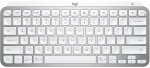
Logitech MX Keys Mini Backlit Bluetooth Wireless Keyboard, Pale Grey
- Ultra Fluid Typing With Perfect Stroke Keys
- Minimalist Form, Mighty Powerful
- Smart Illumination
- Connect Instantly To Up To Three Devices
- Smarter Keys
£
89.98
inc.
vat
£ 74.98 ex.
vat
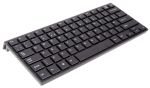
Xenta Super Compact Wireless UK Keyboard
- Super Compact design, Slim keys, UK Layout
- 2.4Ghz Wireless for improved range
- Includes Arrow Keys
- Keyboard dimensions: 283x122x21mm
- Includes Tiny USB receiver
£
4.98
inc.
vat
£ 4.15 ex.
vat
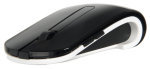
Xenta Laser 2.4ghz Wireless Mouse with Adjustable Rubber Sides
- 2.4ghz Wireless Connection
- Adjustable rubber sides to fit all hand shapes
- Nano USB Dongle
- 800-2000 DPI
£
4.98
inc.
vat
£ 4.15 ex.
vat
Free Delivery*
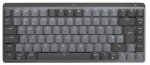
Logitech MX Mechanical Mini Wireless Illuminated Performance Keyboard - Graphite
- Connectivity: Wireless
- Compact Size
- Mechanical Switch
- Smart backlighting illumination
- Customisable Fn keys
£
139.98
inc.
vat
£ 116.65 ex.
vat
0% Interest offers available
Free Delivery*
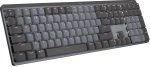
Logitech MX Mechanical Wireless Illuminated Performance Keyboard
- Connectivity: Wireless
- Full Size
- Mechanical Switch
- Smart backlighting illumination
- Customisable Fn keys
£
153.99
inc.
vat
£ 128.32 ex.
vat
0% Interest offers available
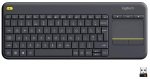
Logitech Wireless Touch Keyboard K400 Plus QWERTY UK La
- Designed for laid-back control
- Integrated Wireless keyboard with Touchpad
- 10-meter (33-foot) Wireless Range
- Media-friendly TV Keyboard
£
34.98
inc.
vat
£ 29.15 ex.
vat
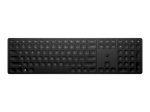
HP 455 Programmable Wireless Keyboard
- 2.4Ghz Wireless
- UK Layout
- Sustainable Design Features
- Battery life that can last over 20 months
£
32.98
inc.
vat
£ 27.48 ex.
vat
Free Delivery*
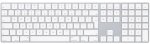
Apple Magic Wireless Keyboard with Numeric Keypad, UK Layout
- Extended layout
- High Stability Scissor mechanism
- Optimised low profile keys
- Built-in, rechargeable battery
£
119.00
inc.
vat
£ 99.16 ex.
vat
0% Interest offers available
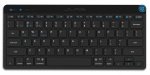
JLab GO keyboard Bluetooth QWERTY English Black
- Low-profile
- Monochromatic
- USB Type-A
- Warranty: 2 Years
£
20.26
inc.
vat
£ 16.88 ex.
vat
Free Delivery*
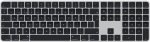
Apple Magic Keyboard with Touch ID, Black Keys and Numeric Keypad for Mac models with Apple Silicon, UK Layout
- Full Size Keyboard with Touch ID
- Rechargeable Integral Battery
- Bluetooth Wireless
- Included USB-C to Lightning Cable
£
181.98
inc.
vat
£ 151.65 ex.
vat
0% Interest offers available
Free Delivery*
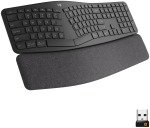
Logitech ERGO K860 Ergonomic Full Size Wireless Keyboard, Graphite
- Ergonomic Split Keyboard Design
- Designed to Reduce Wrist and Forearm Strain
- Pillowed, Adjustable Wrist Rest
- Connect up to 3 Devices
£
110.49
inc.
vat
£ 92.07 ex.
vat
0% Interest offers available
Free Delivery*
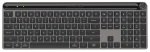
JLab Epic keyboard USB + Bluetooth QWERTY English Black
- Full-size (100%)
- USB + Bluetooth
- Monochromatic
- Warranty: 2 Years
£
69.99
inc.
vat
£ 58.32 ex.
vat
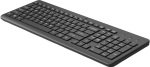
HP 225 Wireless Keyboard
- This chiclet-style keyboard is quick and comfy.
- 12 shortcut combos with the Fn key.
- 2.4 GHz wireless connection.
- Num Lock, Scroll Lock and Caps Lock LEDs
£
21.14
inc.
vat
£ 17.61 ex.
vat
Free Delivery*
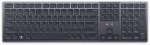
Dell Premier Collaboration Keyboard - KB900 - UK (QWERTY)
- Collaborate effortlessly
- Intelligent illumination
- Ultra-quiet typing
- Long-lasting operation
- Seamless and secure connectivity
£
89.60
inc.
vat
£ 74.66 ex.
vat
Free Delivery*
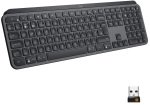
Logitech MX Keys for Business Wireless Keyboard - UK Layout
- Wireless + Bluetooth Keyboard
- Detachable palm rest
- Illuminated keyboard
- Keys are shaped for your fingertips
- Increased key stability
£
115.49
inc.
vat
£ 96.24 ex.
vat
0% Interest offers available
Free Delivery*
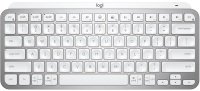
Logitech MX Keys Mini Backlit Bluetooth Wireless Keyboard, Pale Grey
- Ultra Fluid Typing With Perfect Stroke Keys
- Minimalist Form, Mighty Powerful
- Smart Illumination
- Connect Instantly To Up To Three Devices
- Smarter Keys
SKU: 920-010496
£
89.98
inc.
vat
£ 74.98 ex.
vat
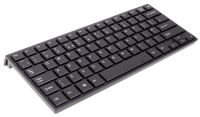
Xenta Super Compact Wireless UK Keyboard
- Super Compact design, Slim keys, UK Layout
- 2.4Ghz Wireless for improved range
- Includes Arrow Keys
- Keyboard dimensions: 283x122x21mm
- Includes Tiny USB receiver
SKU: SK-094AG
£
4.98
inc.
vat
£ 4.15 ex.
vat
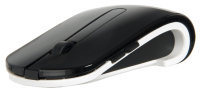
Xenta Laser 2.4ghz Wireless Mouse with Adjustable Rubber Sides
- 2.4ghz Wireless Connection
- Adjustable rubber sides to fit all hand shapes
- Nano USB Dongle
- 800-2000 DPI
SKU: ELABMY1
£
4.98
inc.
vat
£ 4.15 ex.
vat
Free Delivery*
Logitech MX Mechanical Mini Wireless Illuminated Performance Keyboard - Graphite
- Connectivity: Wireless
- Compact Size
- Mechanical Switch
- Smart backlighting illumination
- Customisable Fn keys
SKU: 920-010779
£
139.98
inc.
vat
£ 116.65 ex.
vat
0% Interest offers available
Free Delivery*
Logitech MX Mechanical Wireless Illuminated Performance Keyboard
- Connectivity: Wireless
- Full Size
- Mechanical Switch
- Smart backlighting illumination
- Customisable Fn keys
SKU: 920-010756
£
153.99
inc.
vat
£ 128.32 ex.
vat
0% Interest offers available
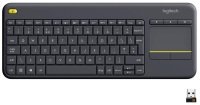
Logitech Wireless Touch Keyboard K400 Plus QWERTY UK La
- Designed for laid-back control
- Integrated Wireless keyboard with Touchpad
- 10-meter (33-foot) Wireless Range
- Media-friendly TV Keyboard
SKU: 920-007143
£
34.98
inc.
vat
£ 29.15 ex.
vat
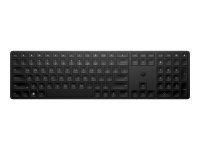
HP 455 Programmable Wireless Keyboard
- 2.4Ghz Wireless
- UK Layout
- Sustainable Design Features
- Battery life that can last over 20 months
SKU: 4R177AA#ABU
£
32.98
inc.
vat
£ 27.48 ex.
vat
Free Delivery*
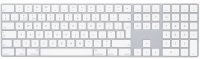
Apple Magic Wireless Keyboard with Numeric Keypad, UK Layout
- Extended layout
- High Stability Scissor mechanism
- Optimised low profile keys
- Built-in, rechargeable battery
SKU: MQ052B/A
£
119.00
inc.
vat
£ 99.16 ex.
vat
0% Interest offers available
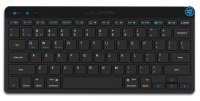
JLab GO keyboard Bluetooth QWERTY English Black
- Low-profile
- Monochromatic
- USB Type-A
- Warranty: 2 Years
SKU: IEUGBKGOKEYBRBLK4
£
20.26
inc.
vat
£ 16.88 ex.
vat
Free Delivery*
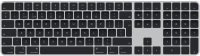
Apple Magic Keyboard with Touch ID, Black Keys and Numeric Keypad for Mac models with Apple Silicon, UK Layout
- Full Size Keyboard with Touch ID
- Rechargeable Integral Battery
- Bluetooth Wireless
- Included USB-C to Lightning Cable
SKU: MMMR3B/A
£
181.98
inc.
vat
£ 151.65 ex.
vat
0% Interest offers available
Free Delivery*
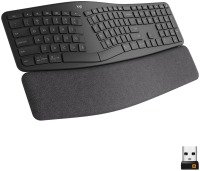
Logitech ERGO K860 Ergonomic Full Size Wireless Keyboard, Graphite
- Ergonomic Split Keyboard Design
- Designed to Reduce Wrist and Forearm Strain
- Pillowed, Adjustable Wrist Rest
- Connect up to 3 Devices
SKU: 920-010107
£
110.49
inc.
vat
£ 92.07 ex.
vat
0% Interest offers available
Free Delivery*
JLab Epic keyboard USB + Bluetooth QWERTY English Black
- Full-size (100%)
- USB + Bluetooth
- Monochromatic
- Warranty: 2 Years
SKU: IEUGBKEPICKEYRBLK4
£
69.99
inc.
vat
£ 58.32 ex.
vat
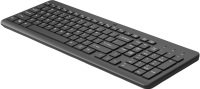
HP 225 Wireless Keyboard
- This chiclet-style keyboard is quick and comfy.
- 12 shortcut combos with the Fn key.
- 2.4 GHz wireless connection.
- Num Lock, Scroll Lock and Caps Lock LEDs
SKU: 805T1AA#ABU
£
21.14
inc.
vat
£ 17.61 ex.
vat
Free Delivery*
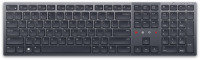
Dell Premier Collaboration Keyboard - KB900 - UK (QWERTY)
- Collaborate effortlessly
- Intelligent illumination
- Ultra-quiet typing
- Long-lasting operation
- Seamless and secure connectivity
SKU: KB900-GR-UK
£
89.60
inc.
vat
£ 74.66 ex.
vat
Free Delivery*
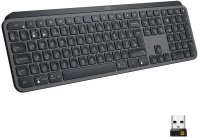
Logitech MX Keys for Business Wireless Keyboard - UK Layout
- Wireless + Bluetooth Keyboard
- Detachable palm rest
- Illuminated keyboard
- Keys are shaped for your fingertips
- Increased key stability
SKU: 920-010250
£
115.49
inc.
vat
£ 96.24 ex.
vat
0% Interest offers available
Showing 1 - 15 of 22 results
Grid
List
- 1
- 2
Return to top
Why Should I Buy a Wireless Keyboard?
Pair with Multiple Devices
Browse our range and you'll find that many wireless keyboards boast the ability to connect to multiple devices simultaneously. Let's say you work from home. This would allow you to pair a wireless keyboard with your work laptop as well as your personal desktop computer. Once the work day's over, all you've got to do is hit a button to switch the keyboard from your laptop to your desktop - no need to mess with plugging cables in and out.
What's more, many of these wireless keyboards are compatible with tablets. So if you've got a bunch of unread emails you need to catch up on, you could pair a wireless keyboard with a tablet are reply to them all quickly while on-the-go, rather than tapping away on a touchscreen.
Clutter-Free Workspace
For many, a wireless keyboard is simply a nice-to-have from an aesthetic point of view. It's not as if a wire really interferes with the typing experience, but it's not the nicest to look at, either. With a wireless keyboard, you'll have one less cable sprawling across your desk. This will help make for a clean, cable clutter-free workspace, especially when paired with a wireless mouse and wireless headset.
Wireless Keyboards with Trackpads
You might've noticed that we stock wireless keyboards with built-in trackpads. These are fantastic for those who need to control both the keyboard and the mouse of a computer from a distance, like when you're giving an in-depth presentation.
Another great use case for this sort of wireless keyboard is if you've got a gaming PC hooked up to a television. Keep one of these wireless keyboards by your side while you're kicked back on the sofa with controller in hand and you'll be able to quickly troubleshoot any PC-specific quirks: text boxes that require the use of a keyboard, pop-up windows that can only be closed with a mouse, and so on.
Impressive Battery Life
Today's wireless keyboards can last for tens, if not hundreds of hours off a single charge. They will eventually run out of juice, however. If you'd rather not have to bother plugging your keyboard in to recharge occasionally, even if it's in some cases months between recharges, then there's still good old wired keyboards.
Most wireless keyboards come equipped with internal rechargeable batteries, though some use hot-swappable AA/AAA batteries. To maximise the battery life of your wireless keyboard so it can go months at a time, consider disabling any backlight effects and switching it off manually when not in use, rather than leaving it in stand-by mode.
Wireless Keyboards at Ebuyer
Here at Ebuyer, we stock a range of wireless keyboards from all the top brands, including Logitech, Apple, and more.
If you want your new wireless keyboard by tomorrow, next-day delivery is available. We also offer finance packages for added flexibility. And don't forget the Ebuyer Price Match Promise - we won't be beaten on price.