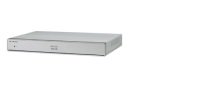
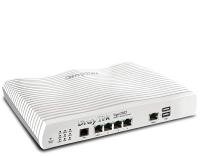
Product image

Belkin

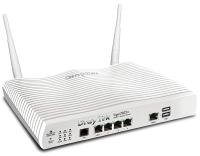
Belkin N Wireless ADSL2+ Modem Router

  • quickfind code: 132751
  • manufacturer #: F5D8633UK4A

Buying Information

85 in stock for next day delivery

Quantity

  • £69.62inc. vat

Need it fast? Order in just over 18 hours and 22 minutes for delivery on
Thursday, 11th February

Overview

Product Description

Connect your wired and wireless desktop computer and notebooks to your Belkin N Wireless Modem Router to share your broadband internet access. Now you can quickly exchange documents, share resources, and distribute large video and music files throughout your network at a link rate of up to 300Mbps.* Our advanced security protects both your wireless and wired computers from hackers and intruders. You can add up to 16 computers to your wireless network with additional notebook and desktop adapters. For better wireless performance, use the Belkin N Wireless Modem Router with N Wireless Notebook and Desktop Cards connecting your client computers.


Features

  • Shares your Internet connection and lets you simultaneously
  • Stream music
  • Share Photos
  • Enjoy online gaming
  • Surf the Web
  • Email and Chat online

Specs

System Requirements

  • Broadband Internet connection with RJ45 (Ethernet) connection
  • At least one computer with an installed network interface card
  • TCP/IP networking protocol installed on each computer
  • Internet Browser

Price Breaks

The more you buy, the more you save!
Qty5-910-1920-4950-99100+
ex VAT£59.09£58.92£58.75£58.58£58.42
inc VAT£69.44£69.24£69.04£68.84£68.65

Specification

Product Specifications

General

Device TypeWireless router
Form FactorExternal
LocalisationUnited Kingdom

Networking

Connectivity TechnologyWireless, wired
Integrated Switch4-port switch
Data Transfer Rate300 Mbps
Frequency Band2.4 GHz
Data Link ProtocolEthernet, Fast Ethernet, IEEE 802.11b, IEEE 802.11g, IEEE 802.11n (draft)
Spread Spectrum MethodOFDM, DSSS
Switching ProtocolEthernet
Network / Transport ProtocolTCP/IP, AppleTalk, PPTP, UDP/IP, NetBEUI/NetBIOS, L2TP, PPPoE, PPPoA, IPoA, DHCP
Routing ProtocolStatic IP routing
Remote Management ProtocolHTTP
Max Range Open Space365 m
FeaturesFirewall protection, dynamic IP address assignment , DHCP support, NAT support, Stateful Packet Inspection (SPI), MAC address filtering, VPN passthrough, MIMO technology, IPSec passthrough
Compliant StandardsIEEE 802.11b, IEEE 802.11g, IEEE 802.11n (draft)

Aerial

Antenna Qty2
DirectivityOmni-directional

Communications

TypeDSL modem
Digital Signaling ProtocolADSL

Expansion / Connectivity

Interfaces4 x network - Ethernet 10Base-T/100Base-TX - RJ-45 ¦ 1 x network - Radio-Ethernet ¦ 1 x modem - ADSL - RJ-11 ( WAN )

Miscellaneous

Encryption Algorithm128-bit WEP, 64-bit WEP, WPA, WPA2

Power

Power DevicePower adapter - external

Software / System Requirements

OS RequiredMicrosoft Windows 2000 / XP, Apple MacOS X 10.3, Apple MacOS X 10.4, Microsoft Windows Vista
Peripheral / Interface DevicesCD-ROM

Product Reviews

Ebuyer.com customer reviews give you the chance to give your opinion on the latest technology products. See what customers had to say about this product below. To view more reviews or write your own review, use either of the buttons below.

19/01/2008 Review:
Works great with PS3
review by: JohnM rating:
customer rating
operating system: Not Applicable

I recently had a PS3 for Christmas and just could not get it to stay connected to the Playstation Network which means no online gaming.<br />
I had a Netgear DG834pn and also tried the DG834n as well as a Linksys WAG325n and also a Linksys WRT54GR; all had problems with upnp not working properly (but solvable using DMZ or port forwarding) and using WEP / WPA would cause lots of lost packets and timeouts which I could not find a solution too (lowering MTU had no effect).<br />
<br />
Tried this Belkin N (F5D8633UK4A) and everything works perfectly.<br />
<br />
The difference between this version an the N1 is the N has a 1200ft range while the N1 is 1400ft (has 3 aerials) .<br />
<br />

2 of 2 people found this review useful
31/03/2008 Review:
Excellent
review by: Dave rating:
customer rating
operating system: Windows Vista

Having had the same modem router for many years, i thought a change wouldnt make much difference, but this does. The wireless is great, goes through 2 thick walls, downstairs and still gets very strong signal. I was so used to configuring my old router manually that i put the install disc to one side, once i hit a problem i put in the disc. Unlike other router software, this doesnt need to be installed. It is very simple and is quick to update the router. I hooked up a spare pc downstairs to my LCD and its great. Dont need a dvd player anymore, and all my video, music and even work is available in the front room. If your looking for a modem router, this is the one, easy, good looking and great wireless. You get a ethernet cable, RJ11 cable and a ADSL filter with this, the ethernet is cat 5e, not cat 6 which did dissapoint me. I also dont like the fact that the router main information page by defualt is accessible.

0 of 0 people found this review useful
08/04/2008 Comment:
Modem looks good and works well
review by: Edward Clough operating system: Windows Vista

Once again delivered on time


Modem looks good and works well, does seem to gets a little hot, no major problems so far and it has great signal strength.


The installation did not work using the software provided, not sure if this was the software, TalkTalk or Vista problem. Have seen this before with TalkTalk and Vista so it could have been that which caused the problem.


I copied over the setting from the retiring modem and all worked OK. Then upped the security and hid the SSID, set a mac code for my new Samsung R700 and all working fine.


Highly recommended

0 of 0 people found this review useful
10/06/2008 Review:
Awesome Router!!! A+
review by: DArren rating:
customer rating
operating system: Windows Vista

Basically after owning the f5d7633 for a year plagued with problems i decided to get a new one.


So far no problems whatsoever & ive got it connected thru wirless G not N (yet), although i did have to use the beta firmware update to get the dmz & my internet connection working properly. Gives me a relatively strong signal which is saying something since i live in an area with about 12 other wireless networks.

0 of 0 people found this review useful
03/10/2008 Review:
Damn good
review by: Kar-ren Cousins rating:
customer rating
operating system: Windows Vista

First ever router was a belkin one, and it was damn awful!


Took a punt on this as is good price for what you get, also broght a Wireless-N PCI card and two big ZyXel antennas.


Easy to set up, has to change my MTU to 1400 otherwise it would not connect. Since then it has been great, never disconnected.

0 of 0 people found this review useful
17/07/2009 Review:
Quite Possibly the best Router
review by: Cyteck rating:
customer rating
operating system: Windows XP

I had previously purchased a Netgear wireless router from Ebuyer but I had so many technical problems setting it up it went back for a full refund. I then purchased the Belkin N wireless modem router and the difference was stark to say the least. The set up & configuration was user friendly and the wireless client set up was straight forwards too. Setting up security was also very straight forwards too. I have had excellent performance from this product and I can definitely highly recommend this router too you, Rated 10 out of 10 is no exaggeration.

0 of 0 people found this review useful
11/07/2008 Review:
security issue ?
review by: Andy rating:
customer rating
operating system: Windows XP

I am surprised that, should you forget your login password that you have set, it is easily retrieved merely by looking at the source code of the login page itself, about 20% down the page. Right Click then View Source on Windows/IE7 !


If this is the same login page that is presented during remote administration, then that isn't very secure at all ! i haven't checked this myself, preferring to leave this feature disabled.


That said, seems to work well enough.

0 of 0 people found this review useful
05/06/2009 Comment:
IP Fragmentation
review by: Anonymous operating system: Windows XP

For those expereincing a problem with IP fragmentation this is a feature of the MTU setup. Basically you have incompatible MTU configurations on your PS3 and Router. The ADSL line does not support fragmentation so to optimize your connection read up on MTU and set all sides of your connections to use the maximum MTU without the need to fragment. And it'll all work fine :)

0 of 0 people found this review useful
30/06/2008 Review:
Ps3 compatibilty
review by: Ben Marchant rating:
customer rating
operating system: Windows XP

forst of all very impressed with ebuyer service, once again.


setup had a few hicups but after a free phonecal to belkin all was fine.


however i have found that this router doues not support "ip fragments" and i have found no way to enable it, this has ment that i am not able to connect to pepoule in my buddies list in game or even webcam, occasionly about %10 of the time i can but for some reason the other %90 i am unable to connect.

as i baught my ps3 and network to play my m8s i am dissapointed.


i am still giving this product a 3 star rating due to the fact it has enabled my entire house to acces the internet.


kind regards ben m

1 of 1 people found this review useful
04/11/2008 Review:
Didn't work with my PS3 ...
review by: Anonymous rating:
customer rating
operating system: Not Applicable

I contacted Belkin prior to purchasing this product to ensure that it was compatible with the PS3 and online gaming, as I had heard some routers weren't, and was assured that it was.


However, like the other reviewer, I also received a "Your router does not support IP fragmentation" error whenever trying to play games online through the PS3.


After troubleshooting for several days and speaking to different Belkin support people, Belkin concluded that the device "probably" (!!??) doesn't support IP fragmentation.


A friend then purchased for me the same Netgear router that he was using with his PS3 and this worked with no problems at all.


Performance wasn't bad for general PC browsing - but only slightly better than my previous wireless-G router.

2 of 2 people found this review useful

Product Discussion

Join in with the Ebuyer product discussions today to ask questions, exchange stories and share opinions with other Ebuyer customers who have bought this product.

So far there are 2 replies to the discussion.

Write a question or comment about this product


Where will my message be posted?
Your message will be posted on the discussion page for this product where you can also view responses and questions from other Ebuyer customers.