


USB Adapters & Dongles (2 products)
USB adapters are accessories you should not find yourself without. At Ebuyer.com, we have a range of USB adapters. Stylish, secure and of the highest build quality, the USB adapters we stock will not let you down. Take a look and find the USB adapters for you.
Read more about USB Adapters & Dongles
Showing 2 results
Grid
List
- 1
Free Delivery
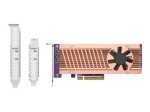
QNAP QM2-2P-384 - Storage Controller - PCIe 3.0 - PCIe 3.0 x8
- Storage controller
- PCIe 3.0
- Low profile
- PCIe 3.0 x8
£
205.98
inc.
vat
£ 171.65 ex.
vat


Free Delivery
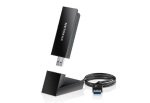
Netgear A8000-100PES - Nighthawk AXE3000 WiFi 6E USB
- Blazing-fast speeds
- Flippable antenna
- Beamforming
- Plug-and-play functionality
£
91.49
inc.
vat
£ 76.24 ex.
vat
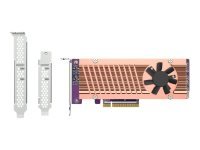
QNAP QM2-2P-384 - Storage Controller - PCIe 3.0 - PCIe 3.0 x8
Free Delivery
- Storage controller
- PCIe 3.0
- Low profile
- PCIe 3.0 x8
SKU: QM2-2P-384A
£
205.98
inc.
vat
£ 171.65 ex.
vat
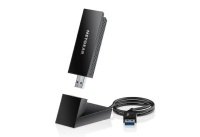
Netgear A8000-100PES - Nighthawk AXE3000 WiFi 6E USB
Free Delivery
- Blazing-fast speeds
- Flippable antenna
- Beamforming
- Plug-and-play functionality
SKU: A8000-100PES
£
91.49
inc.
vat
£ 76.24 ex.
vat
Showing 2 results
Grid
List
- 1
Return to top
Why USB Wi-Fi?
USB is one of the most firmly established connection types in tech - particularly computing - and broad adoption across the industry means it's no surprise that you can get just about any add-on or accessory in USB connection form.
Your PC (or laptop) should have at least one USB port available for peripherals or accessories, and so it should be easy to connect what you need. A Wi-Fi adapter that hooks up to your PC (or other device) via the USB method, enabling Internet activity via your wireless router, isn't going to be a shock to your system to set up, and your computer will be well capable of handling it.
The reason for using a USB adapter with a PC is that perhaps your laptop or desktop computer is only ethernet-cable ready and doesn't have inbuilt wireless functionality. If that is the case then you will need to invest in a Wi-Fi adapter (sometimes referred to as a dongle), as it will be essential if you want to communicate with your wireless router and access the Internet.
How does a USB adapter work?
In the simplest terms, most USB Wi-Fi adapters will resemble a standard USB stick (the type you might use to transfer files or documents from one computer to another). There is a crucial difference, however, as a Wi-Fi adapter will have an antenna built into the stick itself, and the function of this is used to pick up Wi-Fi signals from your wireless router. You can also purchase USB WiFi adapters which feature external antenna, a bite more effective if your PC is positioned some distance from your router, though they are generally more expensive.
When you plug a USB Wi-Fi adapter into a port on your computer and have undergone the initial set-up procedure, it will immediately be able to communicate with your processor and other important parts of your system. You will find that it is a lot easier to install a USB Wi-Fi adapter than it is to disassemble your computer to install a PCI-E Wi-Fi adapter to the motherboard.
USB adaptors for versatility
At Ebuyer there is a range of USB Wi-Fi adapters available. A great example is the TP-Link ARCHER T2U NANO AC600 Nano Wireless USB adapter, which is a simple and secure way to connect your desktop PC to wireless networks, quickly allowing you to enjoy the internet to your heart's content. Supporting 256QAM technology increases 2.4GHz data rate from 150Mbps to 200Mbps for 33% faster performance. 433Mbps on 5GHz is ideal for HD video streaming and lag-free online gaming, while 200Mbps on 2.4GHz is perfect for normal use such as web surfing with legacy devices.
At Ebuyer, we have a range of USB adapters. Stylish, secure and of the highest build quality, the USB adapters we stock won't let you down. Take a look and find the right one for you. Don't forget that we have super-fast delivery options available for all our products.