


Wireless Access Points (72 products)
Investing in access points is one of the best decisions you can make when it comes to getting more from your teams and from your business or organisation's IT infrastructure, as they will boost productivity in your office. Get new access points today, from Ebuyer.
Read more about Wireless Access Points
Free Next Day Delivery
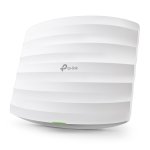
TP-Link EAP225 AC1350 Wireless MU-MIMO Gigabit Ceiling Mount PoE Access Point
- Supports Seamless Roaming
- Cloud centralized management
- Band Steering Automatically
- MU-MIMO
- Omada Mesh Technology
£
72.03
inc.
vat
£ 60.02 ex.
vat

Free Next Day Delivery
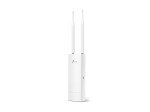
TP-Link EAP110-OUTDOOR 300Mbps Wireless N Outdoor Access Point
- Wireless N Speed up to 300Mbps
- Simple mounting design makes easy to install on any wall or pole...
- Passive PoE supported for convenient and affordable installation...
£
47.99
inc.
vat
£ 39.99 ex.
vat
Free Next Day Delivery
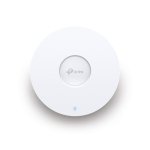
TP-Link EAP653 - AX3000 Ceiling Mount WiFi 6 Access Point
- Ultra-Fast WiFi 6 Speeds
- 160 MHz Channel
- Seamless Roaming
- Omada Mesh
- PoE+ Powered
£
106.98
inc.
vat
£ 89.15 ex.
vat

Free Next Day Delivery
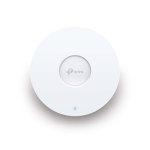
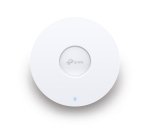
TP-Link EAP610 NEW - AX1800 Ceiling Mount WiFi 6 Access Point
- Superior WiFi 6 Speeds
- Seamless Integration into Omada SDN
- Always Stay Smooth with Fast Roaming
- Easy Deployment & Higher Performance
£
95.99
inc.
vat
£ 79.99 ex.
vat
Free Next Day Delivery
TP-Link EAP650 - AX3000 Ceiling Mount WiFi 6 Access Point
- Ultra-Fast WiFi 6 Speeds
- High-Efficiency WiFi 6
- Centralized Cloud Management
- 160 MHz Channel
- Seamless Roaming
£
117.84
inc.
vat
£ 98.20 ex.
vat
Free Next Day Delivery
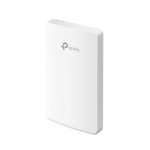
TP-Link Omada AC1200 Wireless MU-MIMO Gigabit Wall Plate Access Point
- VOUCHERCODE: tplink24 for £5.89 off
- Omada SDN Ready
- Fast Dual-Band Wi-Fi
- Four Gigabit Ports
- Easy Installation and PoE Support
£
75.88
inc.
vat
£ 63.23 ex.
vat
Free Delivery
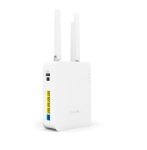
Draytek VIGOR AP906 WiFi6 Mesh Access Point
- VigorAP 906 is 11ax wall-mount/desktop wireless access point with a...
£
188.49
inc.
vat
£ 157.07 ex.
vat
Free Next Day Delivery
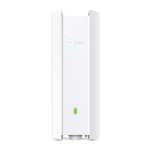
TP-Link EAP650-OUTDOOR - AX3000 Indoor/Outdoor WiFi 6 Access Point
- Superior WiFi 6 Speeds
- Higher Network Efficiency
- 160 MHz Bandwidth Channel
- Long-Range Coverage
- Omada Mesh Technology
£
187.49
inc.
vat
£ 156.24 ex.
vat
Free Next Day Delivery
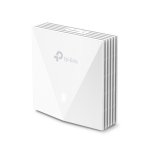
TP-Link EAP650-WALL - AX3000 Wall Plate WiFi 6 Access Point
- Blazing-Fast AX3000 WiFi 6 Speeds
- Higher Network Efficiency
- Complete In-Room WiFi Coverage
- Centralized Cloud Management
£
91.24
inc.
vat
£ 76.03 ex.
vat
Free Next Day Delivery
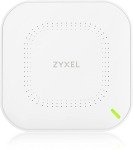
Zyxel NWA50AX True WiFi6 AX1800 Wireless Access Point (802.11ax Dual Band), 1.77Gbps with ODFMA
- Devices: Up to 256 per AP
- AX1800 (WIFI 6)
- WPA3 Personal
- MAC Filtering
- Rogue AP Detection
£
80.00
inc.
vat
£ 66.66 ex.
vat
Free Delivery
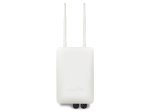
Draytek VigorAP 918RPD Outdoor Access Point
- 1 x Gigabit Ethernet LAN Port
- 1 x Gigabit Ethernet LAN Port
- AC1300 Class Wireless Access Point
- Provides 2nd Gigabit Ethernet port with PoE Output
£
325.48
inc.
vat
£ 271.23 ex.
vat
Free Delivery
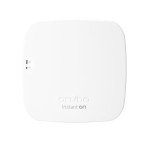
HPE Aruba Instant ON AP11 Radio Access Point
- Radio access point
- Dual Band
- Wall / ceiling mountable - indoor
£
73.56
inc.
vat
£ 61.30 ex.
vat
Free Next Day Delivery
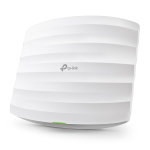
TP-Link AC1750 EAP265 HD - Wireless Gigabit Ceiling Mount PoE Access Point
- AC1750 Dual-Band Speed
- High-Density Connectivity
- Multi User MIMO
- Seamless Roaming
- Centralised Cloud Management
£
110.00
inc.
vat
£ 91.66 ex.
vat
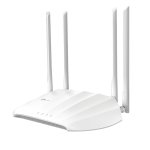
TP-Link AC1200 Wireless Gigabit Access Point
- 867 Mbps at 5 GHz
- 300 Mbps at 2.4 GHz band
- Flexible Deployment with Passive PoE
- Beamforming for greater coverage
£
39.99
inc.
vat
£ 33.32 ex.
vat
Free Next Day Delivery
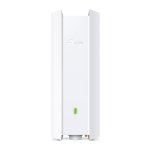
TP-Link EAP610-OUTDOOR - AX1800 Indoor/Outdoor WiFi 6 Access Point
- Superior WiFi 6 Speeds
- Higher Network Efficiency
- Long-Range Coverage
- Omada Mesh Technology
- Stay Smooth with Fast Roaming
£
141.48
inc.
vat
£ 117.90 ex.
vat
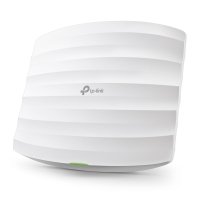
TP-Link EAP225 AC1350 Wireless MU-MIMO Gigabit Ceiling Mount PoE Access Point
Free Next Day Delivery
- Supports Seamless Roaming
- Cloud centralized management
- Band Steering Automatically
- MU-MIMO
- Omada Mesh Technology
SKU: EAP225
£
72.03
inc.
vat
£ 60.02 ex.
vat
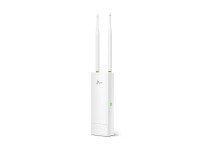
TP-Link EAP110-OUTDOOR 300Mbps Wireless N Outdoor Access Point
Free Next Day Delivery
- Wireless N Speed up to 300Mbps
- Simple mounting design makes easy to install on any wall or pole...
- Passive PoE supported for convenient and affordable installation...
SKU: EAP110-OUTDOOR
£
47.99
inc.
vat
£ 39.99 ex.
vat
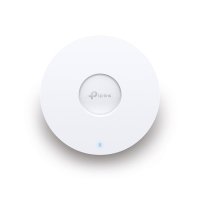
TP-Link EAP653 - AX3000 Ceiling Mount WiFi 6 Access Point
Free Next Day Delivery
- Ultra-Fast WiFi 6 Speeds
- 160 MHz Channel
- Seamless Roaming
- Omada Mesh
- PoE+ Powered
SKU: EAP653
£
106.98
inc.
vat
£ 89.15 ex.
vat
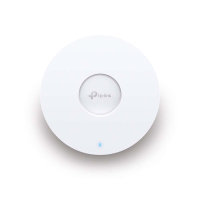
TP-Link EAP610 NEW - AX1800 Ceiling Mount WiFi 6 Access Point
Free Next Day Delivery
- Superior WiFi 6 Speeds
- Seamless Integration into Omada SDN
- Always Stay Smooth with Fast Roaming
- Easy Deployment & Higher Performance
SKU: EAP610 NEW
£
95.99
inc.
vat
£ 79.99 ex.
vat
TP-Link EAP650 - AX3000 Ceiling Mount WiFi 6 Access Point
Free Next Day Delivery
- Ultra-Fast WiFi 6 Speeds
- High-Efficiency WiFi 6
- Centralized Cloud Management
- 160 MHz Channel
- Seamless Roaming
SKU: EAP650
£
117.84
inc.
vat
£ 98.20 ex.
vat
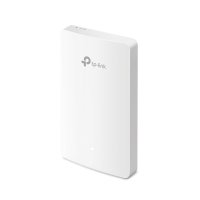
TP-Link Omada AC1200 Wireless MU-MIMO Gigabit Wall Plate Access Point
Free Next Day Delivery
- VOUCHERCODE: tplink24 for £5.89 off
- Omada SDN Ready
- Fast Dual-Band Wi-Fi
- Four Gigabit Ports
- Easy Installation and PoE Support
SKU: EAP235-WALL
£
75.88
inc.
vat
£ 63.23 ex.
vat
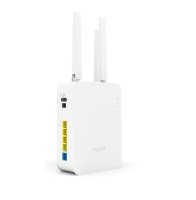
Draytek VIGOR AP906 WiFi6 Mesh Access Point
Free Delivery
- VigorAP 906 is 11ax wall-mount/desktop wireless access point with a...
SKU: VAP906-K
£
188.49
inc.
vat
£ 157.07 ex.
vat
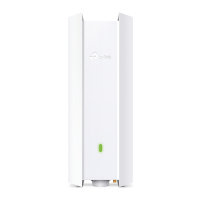
TP-Link EAP650-OUTDOOR - AX3000 Indoor/Outdoor WiFi 6 Access Point
Free Next Day Delivery
- Superior WiFi 6 Speeds
- Higher Network Efficiency
- 160 MHz Bandwidth Channel
- Long-Range Coverage
- Omada Mesh Technology
SKU: EAP650-OUTDOOR
£
187.49
inc.
vat
£ 156.24 ex.
vat
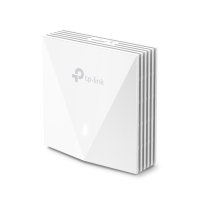
TP-Link EAP650-WALL - AX3000 Wall Plate WiFi 6 Access Point
Free Next Day Delivery
- Blazing-Fast AX3000 WiFi 6 Speeds
- Higher Network Efficiency
- Complete In-Room WiFi Coverage
- Centralized Cloud Management
SKU: EAP650-WALL
£
91.24
inc.
vat
£ 76.03 ex.
vat
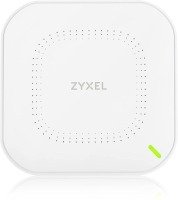
Zyxel NWA50AX True WiFi6 AX1800 Wireless Access Point (802.11ax Dual Band), 1.77Gbps with ODFMA
Free Next Day Delivery
- Devices: Up to 256 per AP
- AX1800 (WIFI 6)
- WPA3 Personal
- MAC Filtering
- Rogue AP Detection
SKU: NWA50AX-EU0102F
£
80.00
inc.
vat
£ 66.66 ex.
vat
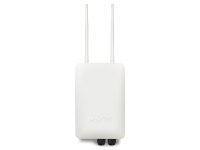
Draytek VigorAP 918RPD Outdoor Access Point
Free Delivery
- 1 x Gigabit Ethernet LAN Port
- 1 x Gigabit Ethernet LAN Port
- AC1300 Class Wireless Access Point
- Provides 2nd Gigabit Ethernet port with PoE Output
SKU: VAP918RPD-K
£
325.48
inc.
vat
£ 271.23 ex.
vat
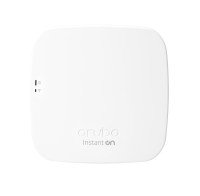
HPE Aruba Instant ON AP11 Radio Access Point
Free Delivery
- Radio access point
- Dual Band
- Wall / ceiling mountable - indoor
SKU: R2W96A
£
73.56
inc.
vat
£ 61.30 ex.
vat
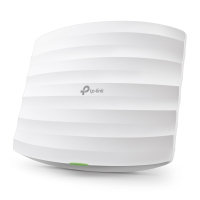
TP-Link AC1750 EAP265 HD - Wireless Gigabit Ceiling Mount PoE Access Point
Free Next Day Delivery
- AC1750 Dual-Band Speed
- High-Density Connectivity
- Multi User MIMO
- Seamless Roaming
- Centralised Cloud Management
SKU: EAP265 HD
£
110.00
inc.
vat
£ 91.66 ex.
vat
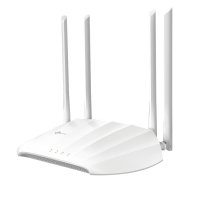
TP-Link AC1200 Wireless Gigabit Access Point
- 867 Mbps at 5 GHz
- 300 Mbps at 2.4 GHz band
- Flexible Deployment with Passive PoE
- Beamforming for greater coverage
SKU: TL-WA1201
£
39.99
inc.
vat
£ 33.32 ex.
vat
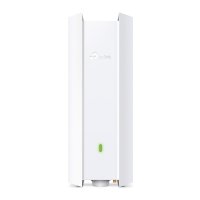
TP-Link EAP610-OUTDOOR - AX1800 Indoor/Outdoor WiFi 6 Access Point
Free Next Day Delivery
- Superior WiFi 6 Speeds
- Higher Network Efficiency
- Long-Range Coverage
- Omada Mesh Technology
- Stay Smooth with Fast Roaming
SKU: EAP610-OUTDOOR
£
141.48
inc.
vat
£ 117.90 ex.
vat
Return to top
What is a Wireless Access Point?
A Wireless Access Point (often referred to as a WAP or an AP) is a networking device which can be added to your existing set-up to allow Wi-Fi devices to connect to a wired network. They form wireless local-area networks (WLANs). Wi-Fi signal has a limited range and is affected by various obstacles. In large buildings where a single Wi-Fi connection is not going to be enough and device struggle with connection or consistency, it's becoming more and more common to install multiple WAPs. This means large buildings where the wireless connection would need to pass through many walls, furniture and objects. For businesses and organisations the installation of Access Points (which, essentially, generate Wi-Fi 'hotspots') can offer an efficient solution to a recurring problem.
How Does A Wireless Access Point Work?
Access points connect directly to your broadband router or network switch by ethernet or data cable. This connection provides the access point with the internet connection and bandwidth required to transmit and receive a wireless signal (which is in either the 2.4Ghz or 5Ghz frequency range). This allows you to connect devices wirelessly to your Local Area Network (LAN) and the internet. WAPs are essential for devices where a physical Ethernet cable would be desirable but cannot be connected, or where it would be difficult. This means WAPs are perfect for providing internet connectivity to smartphones, laptops, smart TVs, tablets etc.
Types of wireless access point
WAPs can be configured to meet various networking requirements. Some of the most common configurations which can be used in an enterprise setting are as follows.
Standalone access points
A standalone access point is connected directly to a wired local area network (LAN). You can connect multiple access points to one LAN and position them at various points within an office building or workspace. When this configuration is used, internet users can go from one area of the building to another without losing network connection on their devices.
Repeater or mesh access points
Access points can be configured to wirelessly extend the range of other access points. The repeater relays signals from your wireless devices to another access point wired to the LAN.
Do I Need A Wireless Access Point?
If you have a router which is not Wi-Fi compatible then yes. If you have a large property or professional workspace where there are Wi-Fi blackspots, installing an access point or series of access points will be of benefit.
Access Points at Ebuyer
At Ebuyer we stock several high quality access points, available from a number of world-class brands. The Ubiquiti UAP-AC-PRO is ideal for deployment of maximum-performance wireless networks and employs a powerful software engine ideal for high-density client deployments requiring low latency and high uptime performance. Or alternatively look at the NETGEAR Small Business 802.11ac access point when considering the options available to you.
When you are looking for the ideal network solution for your homes or office and workspace environment, Ebuyer has a capable and affordable option for you. Check out our full range, and remember that we offer delivery and finance options.