




If you're looking for new RAM, take a look at the wide range of memory we have available. With sizes and speeds available to suit every need and budget, you can be sure to find RAM to improve your build and ensure applications run quickly and smoothly.
Computer Memory (150 products)
Read more about Computer Memory
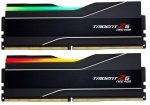
G.Skill Trident Z5 NEO RGB 32GB DDR5 6000MHz AMD EXPO Desktop Memory for Gaming
- Capacity: 32GB (2x16GB)
- Speed: 6000MHz
- Latency Timing: CL30
- Form Factor: DDR5 UDIMM
- Warranty: Limited Lifetime
£
129.99
inc.
vat
£ 108.32 ex.
vat


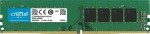
Crucial 16GB DDR4 3200MHz Desktop Memory
- Capacity: 16GB (1x16GB)
- Speed: 3200MHz
- Latency Timing: CL22
- Form Factor: DDR4 UDIMM
- Warranty: Limited Lifetime
£
34.98
inc.
vat
£ 29.15 ex.
vat
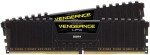
CORSAIR VENGEANCE LPX 32GB DDR4 3200MHz Desktop Memory for Gaming
- Capacity: 32GB (2x16GB)
- Speed: 3200MHz
- Latency Timing: CL16
- Form Factor: DDR4 UDIMM
- Warranty: Limited Lifetime
£
62.99
inc.
vat
£ 52.49 ex.
vat
Free Delivery
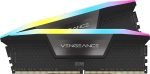
CORSAIR VENGEANCE RGB 32GB DDR5 6000MHz Desktop Memory for Gaming
- Capacity: 32GB (2x16GB)
- Speed: 6000MHz
- Latency Timing: CL36
- Form Factor: DDR5 DIMM
- Warranty: Limited Lifetime
£
109.98
inc.
vat
£ 91.65 ex.
vat
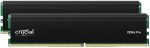
Crucial Pro 32GB DDR4 3200MHz Desktop Memory for Gaming
- Capacity: 32GB (2x16GB)
- Speed: 3200MHz
- Latency Timing: CL22
- Form Factor: DDR4 UDIMM
- Warranty: Limited Lifetime
£
59.99
inc.
vat
£ 49.99 ex.
vat
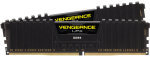
CORSAIR VENGEANCE LPX 16GB DDR4 3200MHz Desktop Memory for Gaming
- Capacity: 16GB (2x8GB)
- Speed: 3200MHz
- Latency Timing: CL16
- Form Factor: DDR4 UDIMM
- Warranty: Limited Lifetime
£
37.98
inc.
vat
£ 31.65 ex.
vat
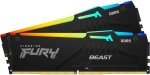
Kingston FURY Beast RGB 32GB DDR5 6000MHz AMD EXPO Desktop Memory for Gaming
- Capacity: 32GB (2x16GB)
- Speed: 6000MHz
- Latency Timing: CL36
- Form Factor: DDR5 UDIMM
- Warranty: Limited Lifetime
£
124.97
inc.
vat
£ 104.14 ex.
vat
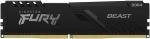
Kingston FURY Beast 8GB DDR4 3200MHz Desktop Memory for Gaming
- Capacity: 8GB (1x8GB)
- Speed: 3200MHz
- Latency Timing: CL16
- Form Factor: DDR4 UDIMM
- Warranty: Limited Lifetime
£
21.48
inc.
vat
£ 17.90 ex.
vat
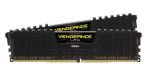
CORSAIR VENGEANCE LPX 16GB DDR4 3600MHz AMD Ryzen Desktop Memory for Gaming
- Capacity: 16GB (2x8GB)
- Speed: 3600MHz
- Latency Timing: CL18
- Form Factor: DDR4 UDIMM
- Warranty: Limited Lifetime
£
37.98
inc.
vat
£ 31.65 ex.
vat
Free Delivery
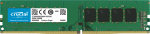
Crucial 32GB DDR4 3200MHz Desktop Memory
- Capacity: 32GB (1x32GB)
- Speed: 3200MHz
- Latency Timing: CL22
- Form Factor: DDR4 UDIMM
- Warranty: Limited Lifetime
£
62.99
inc.
vat
£ 52.49 ex.
vat
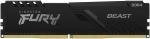
Kingston FURY Beast 16GB DDR4 3200MHz Desktop Memory for Gaming
- Capacity: 16GB (1x16GB)
- Speed: 3200MHz
- Latency Timing: CL16
- Form Factor: DDR4 UDIMM
- Warranty: Limited Lifetime
£
38.43
inc.
vat
£ 32.02 ex.
vat
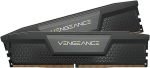
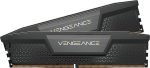
CORSAIR VENGEANCE 32GB DDR5 6000MHz AMD EXPO Desktop Memory for Gaming
- Capacity: 32GB (2x16GB)
- Speed: 6000MHz
- Latency Timing: CL30
- Form Factor: DDR5 DIMM
- Warranty: Limited Lifetime
£
114.99
inc.
vat
£ 95.82 ex.
vat
Free Delivery
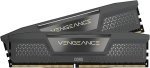
CORSAIR VENGEANCE 64GB DDR5 6400MHz Desktop Memory for Gaming
- Capacity: 64GB (2x32GB)
- Speed: 6400MHz
- Latency Timing: CL32
- Form Factor: DDR5 UDIMM
- Warranty: Limited Lifetime
£
213.99
inc.
vat
£ 178.32 ex.
vat
CORSAIR VENGEANCE 32GB DDR5 5200MHz AMD EXPO Desktop Memory for Gaming
- Capacity: 32GB (2x16GB)
- Speed: 5200MHz
- Latency Timing: CL40
- Form Factor: DDR5 UDIMM
- Warranty: Limited Lifetime
£
94.98
inc.
vat
£ 79.15 ex.
vat
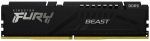
Kingston FURY Beast 16GB DDR5 5200MHz Desktop Memory for Gaming
- Capacity: 16GB (1x16GB)
- Speed: 5200MHz
- Latency Timing: CL40
- Form Factor: DDR5 UDIMM
- Warranty: Limited Lifetime
£
54.99
inc.
vat
£ 45.82 ex.
vat
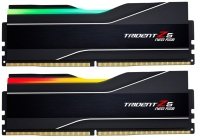
G.Skill Trident Z5 NEO RGB 32GB DDR5 6000MHz AMD EXPO Desktop Memory for Gaming
- Capacity: 32GB (2x16GB)
- Speed: 6000MHz
- Latency Timing: CL30
- Form Factor: DDR5 UDIMM
- Warranty: Limited Lifetime
SKU: F5-6000J3038F16GX2-TZ5NR
£
129.99
inc.
vat
£ 108.32 ex.
vat
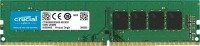
Crucial 16GB DDR4 3200MHz Desktop Memory
- Capacity: 16GB (1x16GB)
- Speed: 3200MHz
- Latency Timing: CL22
- Form Factor: DDR4 UDIMM
- Warranty: Limited Lifetime
SKU: CT16G4DFRA32A
£
34.98
inc.
vat
£ 29.15 ex.
vat
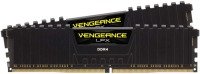
CORSAIR VENGEANCE LPX 32GB DDR4 3200MHz Desktop Memory for Gaming
- Capacity: 32GB (2x16GB)
- Speed: 3200MHz
- Latency Timing: CL16
- Form Factor: DDR4 UDIMM
- Warranty: Limited Lifetime
SKU: CMK32GX4M2E3200C16
£
62.99
inc.
vat
£ 52.49 ex.
vat
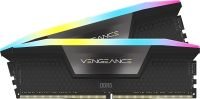
CORSAIR VENGEANCE RGB 32GB DDR5 6000MHz Desktop Memory for Gaming
Free Delivery
- Capacity: 32GB (2x16GB)
- Speed: 6000MHz
- Latency Timing: CL36
- Form Factor: DDR5 DIMM
- Warranty: Limited Lifetime
SKU: CMH32GX5M2E6000C36
£
109.98
inc.
vat
£ 91.65 ex.
vat
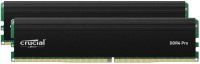
Crucial Pro 32GB DDR4 3200MHz Desktop Memory for Gaming
- Capacity: 32GB (2x16GB)
- Speed: 3200MHz
- Latency Timing: CL22
- Form Factor: DDR4 UDIMM
- Warranty: Limited Lifetime
SKU: CP2K16G4DFRA32A
£
59.99
inc.
vat
£ 49.99 ex.
vat
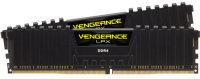
CORSAIR VENGEANCE LPX 16GB DDR4 3200MHz Desktop Memory for Gaming
- Capacity: 16GB (2x8GB)
- Speed: 3200MHz
- Latency Timing: CL16
- Form Factor: DDR4 UDIMM
- Warranty: Limited Lifetime
SKU: CMK16GX4M2B3200C16
£
37.98
inc.
vat
£ 31.65 ex.
vat
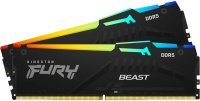
Kingston FURY Beast RGB 32GB DDR5 6000MHz AMD EXPO Desktop Memory for Gaming
- Capacity: 32GB (2x16GB)
- Speed: 6000MHz
- Latency Timing: CL36
- Form Factor: DDR5 UDIMM
- Warranty: Limited Lifetime
SKU: KF560C36BBEAK2-32
£
124.97
inc.
vat
£ 104.14 ex.
vat
Kingston FURY Beast 8GB DDR4 3200MHz Desktop Memory for Gaming
- Capacity: 8GB (1x8GB)
- Speed: 3200MHz
- Latency Timing: CL16
- Form Factor: DDR4 UDIMM
- Warranty: Limited Lifetime
SKU: KF432C16BB/8
£
21.48
inc.
vat
£ 17.90 ex.
vat
CORSAIR VENGEANCE LPX 16GB DDR4 3600MHz AMD Ryzen Desktop Memory for Gaming
- Capacity: 16GB (2x8GB)
- Speed: 3600MHz
- Latency Timing: CL18
- Form Factor: DDR4 UDIMM
- Warranty: Limited Lifetime
SKU: CMK16GX4M2Z3600C18
£
37.98
inc.
vat
£ 31.65 ex.
vat
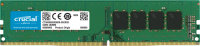
Crucial 32GB DDR4 3200MHz Desktop Memory
Free Delivery
- Capacity: 32GB (1x32GB)
- Speed: 3200MHz
- Latency Timing: CL22
- Form Factor: DDR4 UDIMM
- Warranty: Limited Lifetime
SKU: CT32G4DFD832A
£
62.99
inc.
vat
£ 52.49 ex.
vat
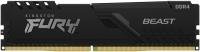
Kingston FURY Beast 16GB DDR4 3200MHz Desktop Memory for Gaming
- Capacity: 16GB (1x16GB)
- Speed: 3200MHz
- Latency Timing: CL16
- Form Factor: DDR4 UDIMM
- Warranty: Limited Lifetime
SKU: KF432C16BB/16
£
38.43
inc.
vat
£ 32.02 ex.
vat
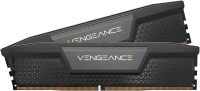
CORSAIR VENGEANCE 32GB DDR5 6000MHz AMD EXPO Desktop Memory for Gaming
- Capacity: 32GB (2x16GB)
- Speed: 6000MHz
- Latency Timing: CL30
- Form Factor: DDR5 DIMM
- Warranty: Limited Lifetime
SKU: CMK32GX5M2B6000Z30
£
114.99
inc.
vat
£ 95.82 ex.
vat
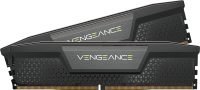
CORSAIR VENGEANCE 64GB DDR5 6400MHz Desktop Memory for Gaming
Free Delivery
- Capacity: 64GB (2x32GB)
- Speed: 6400MHz
- Latency Timing: CL32
- Form Factor: DDR5 UDIMM
- Warranty: Limited Lifetime
SKU: CMK64GX5M2B6400C32
£
213.99
inc.
vat
£ 178.32 ex.
vat
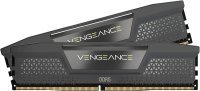
CORSAIR VENGEANCE 32GB DDR5 5200MHz AMD EXPO Desktop Memory for Gaming
- Capacity: 32GB (2x16GB)
- Speed: 5200MHz
- Latency Timing: CL40
- Form Factor: DDR5 UDIMM
- Warranty: Limited Lifetime
SKU: CMK32GX5M2B5200Z40
£
94.98
inc.
vat
£ 79.15 ex.
vat
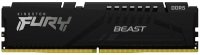
Kingston FURY Beast 16GB DDR5 5200MHz Desktop Memory for Gaming
- Capacity: 16GB (1x16GB)
- Speed: 5200MHz
- Latency Timing: CL40
- Form Factor: DDR5 UDIMM
- Warranty: Limited Lifetime
SKU: KF552C40BB-16
£
54.99
inc.
vat
£ 45.82 ex.
vat
Return to top
What is computer memory?
Computer memory, also referred to as random access memory or RAM for short, is used to temporarily store and quickly process data. Every app, program, and process on your computer (including the operating system) stores its data in RAM as it's fast - faster than even the very best solid-state drives on the market.
When a program is run, its data is transferred from your computer's comparatively slow storage to the memory. Once it's in memory, the data can then be used by the processor pretty much instantaneously, keeping everything running smoothly. Fetching the data from storage just wouldn't be fast enough and would slow even the most basic of tasks and workloads to a crawl.
However, while it's fast, RAM is what's known as volatile. Meaning that when you switch your computer off, anything that's in memory is lost. Don't worry, data will be saved to storage before this can happen. Unlike memory, storage (as in HDDs and SSDs) is persistent, or non-volatile, so it'll retain data even after it's powered off.
How much RAM do you need?
So, with more RAM, you'll be able to store more data. This allows you to run more programs simultaneously. If you're just typing an essay up in Microsoft Word, then you won't need much RAM. On the other hand, if you've got Word open as well as a web browser, music player, and messaging app, all while your anti-virus is running in the background, your system will need more RAM to store all this data. Run out of memory, and your computer will have to fall back to swapping data in-and-out of storage, slowing everything down.
Nowadays, most desktops and laptops have somewhere from 8GB to 32GB of RAM. For context, a fresh install of Windows 11 uses around 4GB of RAM by itself, so you certainly need more than that. 8GB RAM is fine for the average consumer who's only using their computer for day-to-day tasks, like email, web browsing, and word processing. 16GB RAM is the ideal amount of most people. You'll be able to smoothly switch between workloads, and as you'll see below, it's also recommended for gaming. If you're a professional working with complex, resource-intensive software, then you'd want to go even higher, past 16GB to 32GB, 64GB, or even a whopping 128GB of RAM.
8GB RAM vs 16GB RAM for gaming
RAM is one of cheaper upgrades you can make to a computer. So, unless you're on a tight budget, there's no reason you shouldn't opt for at least 16GB of RAM for gaming. While it's possible to skirt by with just 8GB of RAM, it's more effort than it's worth.
With 8GB of RAM, you'll have to maintain a lean operating system with minimal background processes. After all, it's not as if a game is the only program on your computer. Launchers, VoIP clients, browsers, RGB utilities - everything else in the background can take up a decent amount of RAM. The operating system will allocate RAM where it's needed most, but when you launch a RAM-hungry game in addition to these processes, it can become to much for 8GB RAM to handle.
If you'd rather not have to keep on top of what's running in the background every time you launch a game, get 16GB of RAM. It's often cited as the 'sweet spot' for gaming, and for good reason. Look at the hardware requirement for any modern triple-A release. It will more than likely call for 8GB RAM at the bare minimum, while 16GB RAM is instead the recommended amount.
What's more, the smallest RAM DIMMs, or 'sticks', on the market today that you'd want to use for gaming come in 8GB capacities. By picking up just one stick of 8GB RAM, you would limit your system to a slow, single-channel configuration. Ideally, you want two sticks for a fast, dual-channel configuration. This is especially important if you've got an AMD Ryzen CPU as its performance is linked closely to the RAM's speed.
How to choose RAM
When buying RAM, capacity isn't the only thing you should be looking at. There's also the speed of the RAM, measured in MHz on most sites. Essentially, the faster the RAM, the faster that data can be relayed to the processor for processing. RAM speed doesn't matter all that much in day-to-day tasks, but in CPU-heavy workloads and games, it can affect performance.
The newer the generation of RAM (as in DDR3, DDR4, and so on), the faster the speed it can typically reach. For example, DDR4 RAM maxes out at around 4,000MHz, while even middle-of-the-road DDR5 can achieve 5,000MHz, with some DDR5 hitting speeds upwards of 7,000MHz.
However, it's important to check you're buying RAM compatible with your computer. A motherboard can only support one generation of DDR. So, if you've got a DDR4 motherboard, for example, buy DDR4 RAM. Otherwise, you won't be able to install it. Your motherboard will also have a maximum amount of RAM it can support. Before buying an extra stick of RAM, check there's a free slot for it on your motherboard.
Get your new RAM by tomorrow with next-day delivery, and spread the cost of your purchase with our flexible finance offers.