


Make sure your computer is getting the cooling it needs by picking up some extra case fans and PC cooling fans here at Ebuyer. Available in several sizes, with or without customisable RGB lighting.
Case Fans and PC Cooling Fans (90 products)
Read more about Case Fans and PC Cooling Fans
Free Delivery
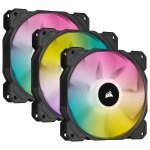
CORSAIR iCUE SP120 RGB ELITE 120mm PC Case Fan - Black Triple Pack with Lighting Node CORE
- Translucent, low noise 120mm triple fan kit
- Eight bright, individually addressable RGB LEDs
- CORSAIR AirGuide technology
- Low noise, high performance
- iCUE Lighting Node CORE included
£
66.99
inc.
vat
£ 55.82 ex.
vat

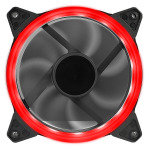
CIT OEM Red Ring 12cm Fan 4pin Molex 3pin White Box
- Designed using 7 black blades
- Single ring LED fans
- Improve heat dissipation
- Hydraulic bearing fan
- 4 Pin Molex and 3 Pin power connectors
£
1.49
inc.
vat
£ 1.24 ex.
vat
Free Delivery
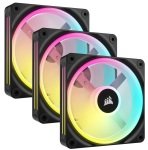
CORSAIR iCUE LINK QX120 RGB 120mm PC Case Fan Starter Kit - Black
- Zero RPM Mode
- Exclusive Time Warp Lighting Mode
- Quiet Operation with Magnetic Dome Bearing
- Bridge Connectors Included
- Durable Glass Fiber-Reinforced Frame
£
146.85
inc.
vat
£ 122.37 ex.
vat

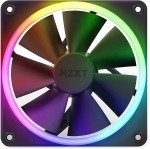
NZXT F120 RGB 120mm PWM Single High Airflow Fan Black
- Designed to dazzle with vibrant RGB lighting effects
- Customize RGB lighting through NZXT CAM
- Smart frame design with anti-vibration rubber corners dampens noise...
£
28.98
inc.
vat
£ 24.15 ex.
vat
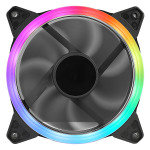
CIT OEM Rainbow Ring 12cm Fan 4pin Molex 3pin White Box
- Designed using 7 black blades
- Single ring LED fans
- Improve heat dissipation
- Hydraulic bearing fan
- 4 Pin Molex and 3 Pin power connectors
£
2.49
inc.
vat
£ 2.07 ex.
vat
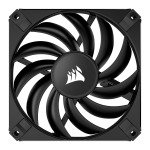
CORSAIR AF120 SLIM 120mm PC Case Fan - Black
- 120mm x 15mm
- Up to 1,400 RPM
- 11 Blade, PWM
- Fluid Dynamic Bearing
£
19.98
inc.
vat
£ 16.65 ex.
vat
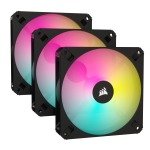
CORSAIR iCUE AR120 RGB 120mm PC Case Fan - Black Triple Pack
- ARGB compatible out of the box without the need for additional...
- PWM fan control adjusts speeds up to 1,850 RPM
- High-airflow design pushes up to 59 CFM
- Eight brilliant individually addressable RGB LEDs
£
37.98
inc.
vat
£ 31.65 ex.
vat
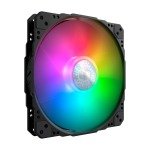
Cooler Master SickleFlow 200 ARGB
- Fan Dimensions -200 x 200 x 25 mm / 7.9 x 7.9 x 1 inch
- Fan Bearing Type Sleeve Bearing
- Power Connector 4-Pin (PWM)
- Warranty 3 Years
£
23.99
inc.
vat
£ 19.99 ex.
vat
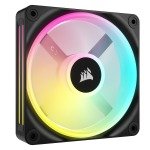
CORSAIR iCUE LINK QX120 RGB 120mm PC Case Fan Expansion Kit - Black
- Zero RPM Mode
- Bridge Connectors Included
- Quiet Operation with Magnetic Dome Bearing
- Exclusive Time Warp Lighting Mode
- Durable Glass Fiber-Reinforced
£
42.99
inc.
vat
£ 35.82 ex.
vat
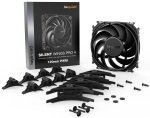
be quiet! 120mm Silent Wings Pro 4 PWM Fan
- 9 Blade High Pressure Fan
- 3000rpm
- 83.9CFM, 36.9dB
- Fluid Dynamic
- 4-Pin PWM
£
28.49
inc.
vat
£ 23.74 ex.
vat
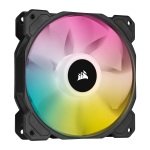
CORSAIR iCUE SP120 RGB ELITE 120mm PC Case Fan - Black
- Translucent, low noise 120mm fan
- Eight bright, individually addressable RGB LEDs
- CORSAIR AirGuide technology
- Low noise, high performance
£
19.98
inc.
vat
£ 16.65 ex.
vat
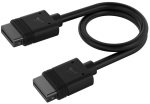
CORSAIR iCUE LINK Slim Cable 200mm
- Expand your iCUE LINK ecosystem
- Flexible positioning options
- Passes digital signal and current up to 7 amps
- 2 Year Warranty
£
10.98
inc.
vat
£ 9.15 ex.
vat
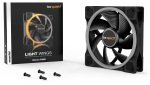
be quiet! Light Wings 120mm ARGB PWM Case Fan
- High Airflow
- 7 Blade
- Upto 1700RPM
- Upto 41.51CFM Airflow
- 20.6dB Max
£
22.98
inc.
vat
£ 19.15 ex.
vat
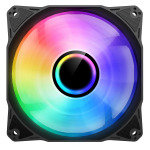
CIT Pro YH120 120mm ARGB Black Inner-Ring Infinity Fan
- Infinity Mirror ARGB Fan
- Detailed Design
- Hydraulic Bearing
- Anti-Vibration Pads
£
4.98
inc.
vat
£ 4.15 ex.
vat
Free Delivery
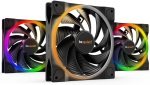
be quiet! Light Wings 140mm ARGB PWM High Speed Triple Fan Pack
- Fan Size: 140mm
- Fan Speed: 2200 rpm
- Fan Airflow: 71.7 CFM
- Bearing Type: Rifle Bearing
£
59.99
inc.
vat
£ 49.99 ex.
vat
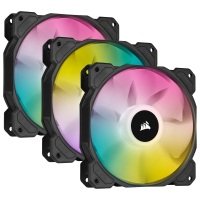
CORSAIR iCUE SP120 RGB ELITE 120mm PC Case Fan - Black Triple Pack with Lighting Node CORE
Free Delivery
- Translucent, low noise 120mm triple fan kit
- Eight bright, individually addressable RGB LEDs
- CORSAIR AirGuide technology
- Low noise, high performance
- iCUE Lighting Node CORE included
SKU: CO-9050109-WW
£
66.99
inc.
vat
£ 55.82 ex.
vat
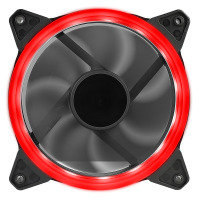
CIT OEM Red Ring 12cm Fan 4pin Molex 3pin White Box
- Designed using 7 black blades
- Single ring LED fans
- Improve heat dissipation
- Hydraulic bearing fan
- 4 Pin Molex and 3 Pin power connectors
SKU: OEM-RING-RED-12
£
1.49
inc.
vat
£ 1.24 ex.
vat
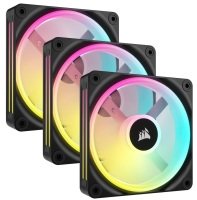
CORSAIR iCUE LINK QX120 RGB 120mm PC Case Fan Starter Kit - Black
Free Delivery
- Zero RPM Mode
- Exclusive Time Warp Lighting Mode
- Quiet Operation with Magnetic Dome Bearing
- Bridge Connectors Included
- Durable Glass Fiber-Reinforced Frame
SKU: CO-9051002-WW
£
146.85
inc.
vat
£ 122.37 ex.
vat
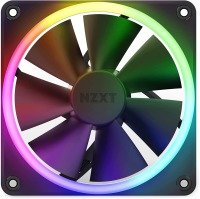
NZXT F120 RGB 120mm PWM Single High Airflow Fan Black
- Designed to dazzle with vibrant RGB lighting effects
- Customize RGB lighting through NZXT CAM
- Smart frame design with anti-vibration rubber corners dampens noise...
SKU: RF-R12SF-B1
£
28.98
inc.
vat
£ 24.15 ex.
vat
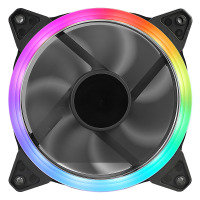
CIT OEM Rainbow Ring 12cm Fan 4pin Molex 3pin White Box
- Designed using 7 black blades
- Single ring LED fans
- Improve heat dissipation
- Hydraulic bearing fan
- 4 Pin Molex and 3 Pin power connectors
SKU: OEM-RAINBOW-12
£
2.49
inc.
vat
£ 2.07 ex.
vat
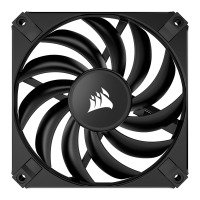
CORSAIR AF120 SLIM 120mm PC Case Fan - Black
- 120mm x 15mm
- Up to 1,400 RPM
- 11 Blade, PWM
- Fluid Dynamic Bearing
SKU: CO-9050144-WW
£
19.98
inc.
vat
£ 16.65 ex.
vat
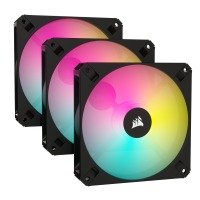
CORSAIR iCUE AR120 RGB 120mm PC Case Fan - Black Triple Pack
- ARGB compatible out of the box without the need for additional...
- PWM fan control adjusts speeds up to 1,850 RPM
- High-airflow design pushes up to 59 CFM
- Eight brilliant individually addressable RGB LEDs
SKU: CO-9050167-WW
£
37.98
inc.
vat
£ 31.65 ex.
vat
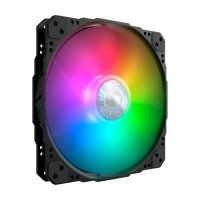
Cooler Master SickleFlow 200 ARGB
- Fan Dimensions -200 x 200 x 25 mm / 7.9 x 7.9 x 1 inch
- Fan Bearing Type Sleeve Bearing
- Power Connector 4-Pin (PWM)
- Warranty 3 Years
SKU: MFX-B3DN-08NP2-R1
£
23.99
inc.
vat
£ 19.99 ex.
vat
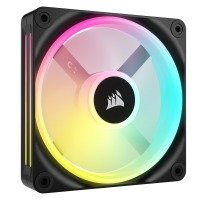
CORSAIR iCUE LINK QX120 RGB 120mm PC Case Fan Expansion Kit - Black
- Zero RPM Mode
- Bridge Connectors Included
- Quiet Operation with Magnetic Dome Bearing
- Exclusive Time Warp Lighting Mode
- Durable Glass Fiber-Reinforced
SKU: CO-9051001-WW
£
42.99
inc.
vat
£ 35.82 ex.
vat
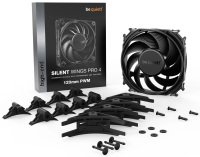
be quiet! 120mm Silent Wings Pro 4 PWM Fan
- 9 Blade High Pressure Fan
- 3000rpm
- 83.9CFM, 36.9dB
- Fluid Dynamic
- 4-Pin PWM
SKU: BL098
£
28.49
inc.
vat
£ 23.74 ex.
vat
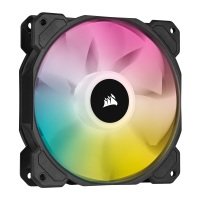
CORSAIR iCUE SP120 RGB ELITE 120mm PC Case Fan - Black
- Translucent, low noise 120mm fan
- Eight bright, individually addressable RGB LEDs
- CORSAIR AirGuide technology
- Low noise, high performance
SKU: CO-9050108-WW
£
19.98
inc.
vat
£ 16.65 ex.
vat
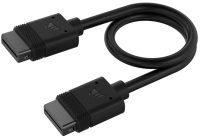
CORSAIR iCUE LINK Slim Cable 200mm
- Expand your iCUE LINK ecosystem
- Flexible positioning options
- Passes digital signal and current up to 7 amps
- 2 Year Warranty
SKU: CL-9011123-WW
£
10.98
inc.
vat
£ 9.15 ex.
vat
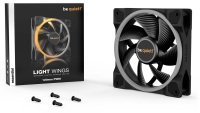
be quiet! Light Wings 120mm ARGB PWM Case Fan
- High Airflow
- 7 Blade
- Upto 1700RPM
- Upto 41.51CFM Airflow
- 20.6dB Max
SKU: BL072
£
22.98
inc.
vat
£ 19.15 ex.
vat
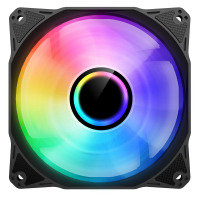
CIT Pro YH120 120mm ARGB Black Inner-Ring Infinity Fan
- Infinity Mirror ARGB Fan
- Detailed Design
- Hydraulic Bearing
- Anti-Vibration Pads
SKU: CIT-PRO-YH120-B
£
4.98
inc.
vat
£ 4.15 ex.
vat
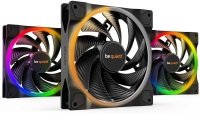
be quiet! Light Wings 140mm ARGB PWM High Speed Triple Fan Pack
Free Delivery
- Fan Size: 140mm
- Fan Speed: 2200 rpm
- Fan Airflow: 71.7 CFM
- Bearing Type: Rifle Bearing
SKU: BL079
£
59.99
inc.
vat
£ 49.99 ex.
vat
Return to top
What Size Case Fans Do I Need For My PC?
We stock several sizes of case fans and PC cooling fans here at Ebuyer. However, most computer cases nowadays only support 120mm and 140mm case fans. These strike a good balance between cooling and acoustic performance. So, if you're looking to build a brand-new system, you can safely rule out a lot of the smaller sizes of case fans, like 60mm and 80mm. For the most part, they're for older desktops and rack-mounted servers. A few small form-factor cases still use them, too.
For a small fan to move the same amount of air as a large fan in the same amount of time, it must spin at a faster, louder revolutions-per-minute (RPM). If you've ever heard a gaming laptop running at full tilt, then you'll know just how loud small, high-RPM fans can get. So, the larger the fan, the slower you can run it while still achieving decent cooling performance. Going all-in on 140mm case fans, as opposed to 120mm case fans, is worth it if you want the quietest system possible. This is important if you're, say, a streamer who doesn't want any background noise picked up by their microphone.
How Many Case Fans Do I Need?
As a rule of thumb, the more power-hungry your computer's hardware, the more case fans and PC cooling fans you'll want. Your everyday office desktop PC, one with a power-sipping chip and no dedicated graphics card, doesn't exactly need a slew of case fans to keep adequately cool. On the contrary, it wouldn't be the wisest move to equip a powerful, high-wattage gaming PC with a lone exhaust fan.
Most computer cases include at least one case fan, usually mounted toward the rear to exhaust hot air produced by the processor. Those building a gaming rig will ideally want another two case fans in the front to channel fresh, cool air over the CPU and GPU. Of course, this is just a starting point. You can always add more case fans to meet the demands of your hardware.
That said, you shouldn't focus too much on the number of case fans, but rather how they're positioned in your case for optimal cooling performance. Go overboard and install too many case fans and they'll all work against each other, blowing air in any which direction without properly cooling the hardware itself. In other words, more case fans don't necessarily equate to better cooling.
Instead, what you should strive for is airflow with a strong sense of directionality. As covered on the computer cases page, you want what's known as a 'push-pull' configuration. This is where intake case fans 'pull' air through the case's panels, dust filters, radiators, and so on, and exhaust fans 'push' hot air out of the case, thereby ensuring a constant flow of air is passing in-and-out of the case and its components.
Airflow Fans vs Static Pressure Fans
Broadly speaking, there are two types of case fans: airflow fans and static pressure fans. Corsair offer both 'AF' airflow fans and 'SP' static pressure fans, for example.
An airflow fan's objective is to move the most amount of air in the shortest amount of time. How much air a fan can move, or displace, is measured in cubic-feet-per-minute (CFM). And if you look at the spec-sheet of an airflow fan, its CFM will more than likely be greater than a static pressure fan's. However, an airflow fan won't displace air with much force. When something's blocking its path - an all-in-one water cooler's radiator, for example - it will struggle to force air through it. A static pressure fan, on the other hand, is stronger and better equipped to force air through a point of resistance.
As a result, you want to mount static pressure fans to heatsinks and radiators, and airflow fans to your case's intakes and exhausts. More and more computer cases are being designed with high-airflow mesh panels, offering very little resistance for airflow fans. A bulky drive cage or even a dust filter can be enough to lessen the effectiveness of airflow fans, in which case you'd be better off with static pressure fans.
Case Fans at Ebuyer
Here at Ebuyer, we stock a wide range of case fans and PC cooling fans from the industry's best brands, including Corsair, Cooler Master, and Be Quiet. Check out the rest of our PC cooling and modding gear and spread the cost of your purchase with our flexible finance offers. If you want your new case fans and cooling fans by tomorrow, next-day delivery is also available.