


One of the advantages to setting up a wireless network is that you won't have to worry about running cables to your various devices and all around your house. All of your computers, tablets and smartphones can use the internet connection from anywhere in the home or office, with ease.
Applied Filters
Price
Min (£10)
£
Max (£2000)
£
Subcategory
Brand
clear Category
Wifi technology
4g wifi routers
5g routers
Clearance
Wireless Network Devices (124 products)
Read more about Wireless Network Devices
Free Next Day Delivery
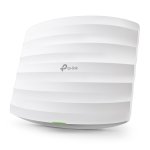
TP-Link EAP225 AC1350 Wireless MU-MIMO Gigabit Ceiling Mount PoE Access Point
- Supports Seamless Roaming
- Cloud centralized management
- Band Steering Automatically
- MU-MIMO
- Omada Mesh Technology
£
72.03
inc.
vat
£ 60.02 ex.
vat

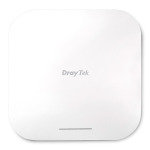
Draytek VigorAP 1060C Ceiling/Wall Mountable Access Point
- Wi-Fi 6 - Fast & Efficient
- Mesh Wireless & Root AP Management
- 2.5 Gigabit Power Over Ethernet
- Ceiling Mounting
- Easy to Configure and Manage
Sorry, this product is temporarily out of stock.
Free Next Day Delivery
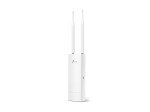
TP-Link EAP110-OUTDOOR 300Mbps Wireless N Outdoor Access Point
- Wireless N Speed up to 300Mbps
- Simple mounting design makes easy to install on any wall or pole...
- Passive PoE supported for convenient and affordable installation...
£
46.79
inc.
vat
£ 38.99 ex.
vat
Free Next Day Delivery
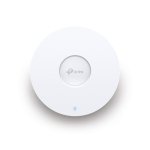
TP-Link EAP653 - AX3000 Ceiling Mount WiFi 6 Access Point
- Ultra-Fast WiFi 6 Speeds
- 160 MHz Channel
- Seamless Roaming
- Omada Mesh
- PoE+ Powered
£
106.98
inc.
vat
£ 89.15 ex.
vat

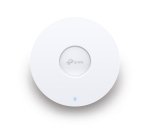
Free Next Day Delivery
TP-Link EAP650 - AX3000 Ceiling Mount WiFi 6 Access Point
- Ultra-Fast WiFi 6 Speeds
- High-Efficiency WiFi 6
- Centralized Cloud Management
- 160 MHz Channel
- Seamless Roaming
£
117.84
inc.
vat
£ 98.20 ex.
vat
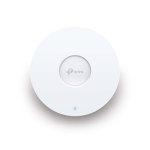
Free Next Day Delivery
TP-Link EAP610 NEW - AX1800 Ceiling Mount WiFi 6 Access Point
- Superior WiFi 6 Speeds
- Seamless Integration into Omada SDN
- Always Stay Smooth with Fast Roaming
- Easy Deployment & Higher Performance
£
95.99
inc.
vat
£ 79.99 ex.
vat
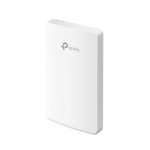
Free Next Day Delivery
TP-Link Omada AC1200 Wireless MU-MIMO Gigabit Wall Plate Access Point
- VOUCHERCODE: tplink24 for £5.89 off
- Omada SDN Ready
- Fast Dual-Band Wi-Fi
- Four Gigabit Ports
- Easy Installation and PoE Support
£
75.88
inc.
vat
£ 63.23 ex.
vat
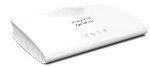
Free Delivery
Draytek Vigor 167 VDSL2 35b & ADSL2+ Modem
- VDSL2 (Superfast Fibre) and ADSL2+ to Ethernet Modem
- Bridges DSL to your Router or Firewall
- Pre-Configured to work with most ISPs
£
101.99
inc.
vat
£ 84.99 ex.
vat
Free Next Day Delivery
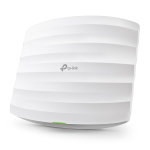
TP-Link AC1750 EAP265 HD - Wireless Gigabit Ceiling Mount PoE Access Point
- AC1750 Dual-Band Speed
- High-Density Connectivity
- Multi User MIMO
- Seamless Roaming
- Centralised Cloud Management
£
110.00
inc.
vat
£ 91.66 ex.
vat
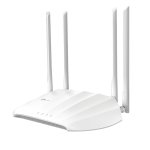
TP-Link AC1200 Wireless Gigabit Access Point
- 867 Mbps at 5 GHz
- 300 Mbps at 2.4 GHz band
- Flexible Deployment with Passive PoE
- Beamforming for greater coverage
£
38.39
inc.
vat
£ 31.99 ex.
vat
Free Delivery
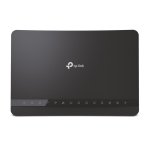
TP-LINK (Archer VR1210V) AC1200 Wireless Dual Band Gigabit VoIP VDSL2/ADSL2+
- Super VDSL: The Latest Super VDSL (VDSL2 Profile 35b) tech delivers...
£
56.99
inc.
vat
£ 47.49 ex.
vat
Free Delivery
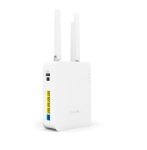
Draytek VIGOR AP906 WiFi6 Mesh Access Point
- VigorAP 906 is 11ax wall-mount/desktop wireless access point with a...
£
188.49
inc.
vat
£ 157.07 ex.
vat
Free Delivery
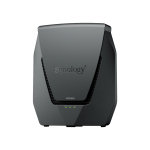
Synology WRX560 Wireless Router Gigabit Ethernet Dual-band (2.4 GHz / 5 GHz)
- Mesh
- 4-port switch
- GigE, 2.5 GigE
- WAN ports: 2
- 802.11a/b/g/n/ac/ax
£
218.99
inc.
vat
£ 182.49 ex.
vat
Free Next Day Delivery
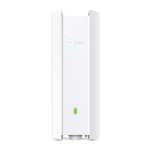
TP-Link EAP650-OUTDOOR - AX3000 Indoor/Outdoor WiFi 6 Access Point
- Superior WiFi 6 Speeds
- Higher Network Efficiency
- 160 MHz Bandwidth Channel
- Long-Range Coverage
- Omada Mesh Technology
£
187.49
inc.
vat
£ 156.24 ex.
vat
Free Next Day Delivery
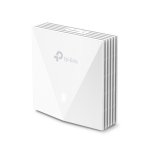
TP-Link EAP650-WALL - AX3000 Wall Plate WiFi 6 Access Point
- Blazing-Fast AX3000 WiFi 6 Speeds
- Higher Network Efficiency
- Complete In-Room WiFi Coverage
- Centralized Cloud Management
£
91.24
inc.
vat
£ 76.03 ex.
vat
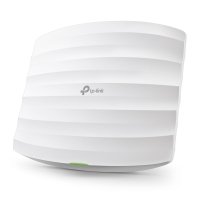
TP-Link EAP225 AC1350 Wireless MU-MIMO Gigabit Ceiling Mount PoE Access Point
Free Next Day Delivery
- Supports Seamless Roaming
- Cloud centralized management
- Band Steering Automatically
- MU-MIMO
- Omada Mesh Technology
SKU: EAP225
£
72.03
inc.
vat
£ 60.02 ex.
vat
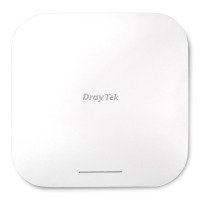
Draytek VigorAP 1060C Ceiling/Wall Mountable Access Point
- Wi-Fi 6 - Fast & Efficient
- Mesh Wireless & Root AP Management
- 2.5 Gigabit Power Over Ethernet
- Ceiling Mounting
- Easy to Configure and Manage
SKU: VAP1060C-K
Sorry, this product is temporarily out of stock.
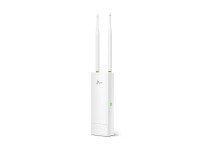
TP-Link EAP110-OUTDOOR 300Mbps Wireless N Outdoor Access Point
Free Next Day Delivery
- Wireless N Speed up to 300Mbps
- Simple mounting design makes easy to install on any wall or pole...
- Passive PoE supported for convenient and affordable installation...
SKU: EAP110-OUTDOOR
£
46.79
inc.
vat
£ 38.99 ex.
vat
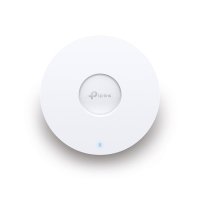
TP-Link EAP653 - AX3000 Ceiling Mount WiFi 6 Access Point
Free Next Day Delivery
- Ultra-Fast WiFi 6 Speeds
- 160 MHz Channel
- Seamless Roaming
- Omada Mesh
- PoE+ Powered
SKU: EAP653
£
106.98
inc.
vat
£ 89.15 ex.
vat
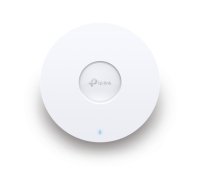
TP-Link EAP650 - AX3000 Ceiling Mount WiFi 6 Access Point
Free Next Day Delivery
- Ultra-Fast WiFi 6 Speeds
- High-Efficiency WiFi 6
- Centralized Cloud Management
- 160 MHz Channel
- Seamless Roaming
SKU: EAP650
£
117.84
inc.
vat
£ 98.20 ex.
vat
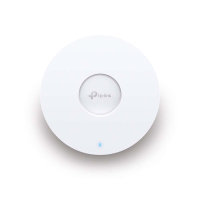
TP-Link EAP610 NEW - AX1800 Ceiling Mount WiFi 6 Access Point
Free Next Day Delivery
- Superior WiFi 6 Speeds
- Seamless Integration into Omada SDN
- Always Stay Smooth with Fast Roaming
- Easy Deployment & Higher Performance
SKU: EAP610 NEW
£
95.99
inc.
vat
£ 79.99 ex.
vat
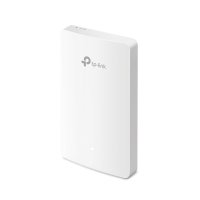
TP-Link Omada AC1200 Wireless MU-MIMO Gigabit Wall Plate Access Point
Free Next Day Delivery
- VOUCHERCODE: tplink24 for £5.89 off
- Omada SDN Ready
- Fast Dual-Band Wi-Fi
- Four Gigabit Ports
- Easy Installation and PoE Support
SKU: EAP235-WALL
£
75.88
inc.
vat
£ 63.23 ex.
vat
Draytek Vigor 167 VDSL2 35b & ADSL2+ Modem
Free Delivery
- VDSL2 (Superfast Fibre) and ADSL2+ to Ethernet Modem
- Bridges DSL to your Router or Firewall
- Pre-Configured to work with most ISPs
SKU: V167-K
£
101.99
inc.
vat
£ 84.99 ex.
vat
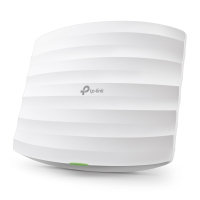
TP-Link AC1750 EAP265 HD - Wireless Gigabit Ceiling Mount PoE Access Point
Free Next Day Delivery
- AC1750 Dual-Band Speed
- High-Density Connectivity
- Multi User MIMO
- Seamless Roaming
- Centralised Cloud Management
SKU: EAP265 HD
£
110.00
inc.
vat
£ 91.66 ex.
vat
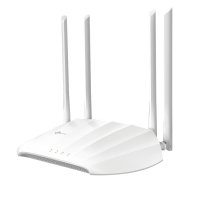
TP-Link AC1200 Wireless Gigabit Access Point
- 867 Mbps at 5 GHz
- 300 Mbps at 2.4 GHz band
- Flexible Deployment with Passive PoE
- Beamforming for greater coverage
SKU: TL-WA1201
£
38.39
inc.
vat
£ 31.99 ex.
vat
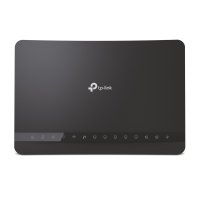
TP-LINK (Archer VR1210V) AC1200 Wireless Dual Band Gigabit VoIP VDSL2/ADSL2+
Free Delivery
- Super VDSL: The Latest Super VDSL (VDSL2 Profile 35b) tech delivers...
SKU: ARCHER VR1210V V2.0
£
56.99
inc.
vat
£ 47.49 ex.
vat
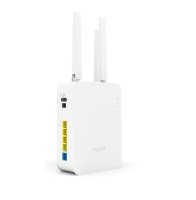
Draytek VIGOR AP906 WiFi6 Mesh Access Point
Free Delivery
- VigorAP 906 is 11ax wall-mount/desktop wireless access point with a...
SKU: VAP906-K
£
188.49
inc.
vat
£ 157.07 ex.
vat
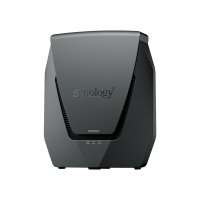
Synology WRX560 Wireless Router Gigabit Ethernet Dual-band (2.4 GHz / 5 GHz)
Free Delivery
- Mesh
- 4-port switch
- GigE, 2.5 GigE
- WAN ports: 2
- 802.11a/b/g/n/ac/ax
SKU: WRX560
£
218.99
inc.
vat
£ 182.49 ex.
vat
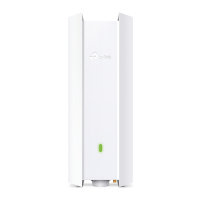
TP-Link EAP650-OUTDOOR - AX3000 Indoor/Outdoor WiFi 6 Access Point
Free Next Day Delivery
- Superior WiFi 6 Speeds
- Higher Network Efficiency
- 160 MHz Bandwidth Channel
- Long-Range Coverage
- Omada Mesh Technology
SKU: EAP650-OUTDOOR
£
187.49
inc.
vat
£ 156.24 ex.
vat
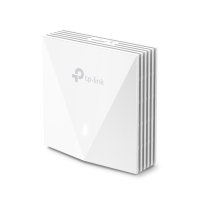
TP-Link EAP650-WALL - AX3000 Wall Plate WiFi 6 Access Point
Free Next Day Delivery
- Blazing-Fast AX3000 WiFi 6 Speeds
- Higher Network Efficiency
- Complete In-Room WiFi Coverage
- Centralized Cloud Management
SKU: EAP650-WALL
£
91.24
inc.
vat
£ 76.03 ex.
vat
Return to top
What is wireless?
Wireless refers to any electronic device which communicates with other devices wirelessly - ie. meaning there is no physical connection between the devices. Wireless means technologies which rely on a non-physical signal to send data rather than using a physical medium (ie. a wire). In wireless transmission electromagnetic, radio and microwave signals are passed through the air. Wireless technologies can be applied to devices which comprise 'the internet of things' (ie. a series of 'smart-connected devices') within an environment.
When the word 'wireless' is mentioned, people most often mean wireless computer networking as in computers, laptops, tablets and smartphones which use Wi-Fi or cellular, the backbone of personal communications.
Is a wireless network important?
Undoubtedly one of the best things to have happened in the last few decades is the internet - and with it eventually came wireless technology for the home and professional environment. The impact on the way this has changed our relationships with the world is huge. It is now possible to carry a small device in your pocket (a smartphone) and be in constant communication with the world, as well as being able to access the internet.
But wireless has also completely changed the way we live, at home and at work, and it's almost impossible to conceive of a home or work life without wireless. So what are the important things to know?
Router
The router is, basically a box. But it's a very important box. It's the hub of your wireless network as it shares the internet between computers, tablets, game consoles and every other device which requires Wi-Fi, and it does so without the need for connecting cables. Routers guide and direct network data, using 'packets' which contain various pieces of data (files, communications and web interactions). The data packets have several sections, one of which carries identifying information (sender, data type, size, and the destination IP address. The router reads the identifying information layer, prioritises the data, and chooses the best route to use for each transmission.
Routers for business
Routers connect employees to networks, both local and the Internet, and therefore almost every essential business activity. Without routers, staff in a workplace wouldn't be able to use the Internet or be able to collaborate and communicate. Routers can also provide a business with some digital security. Embedded firewall and content filtering software offer additional protection to ensure that your business is protected from unwanted content or malicious websites. A router isn't just for data transmission or Internet connections, though. With many routers it is possible to connect hard drives and use them as file-sharing servers. It's also possible to connect printers to your wireless network so that anyone in your business and on the network can access a particular printer at any time.
Routers at Ebuyer
We stock different types of routers, so there are plenty to choose from including cable, fibre and ADSL. Many have USB sharing ports to allow multiple computers to share devices such as printers.
Range and performance of routers
When choosing a router you should be aware that the performance does differ between models, and that the connection speed and range will vary. If you experience problems with the range of your router you can add wireless range extenders to increase the coverage of your network.
Portable 3G
Wireless technology is always evolving and these days you can even take a router with you on your travels. Using a portable router it is possible that you can set up a temporary network anywhere that you can find a 4G or 5G signal. You can also share the connection you establish with other users and their devices.
Other wireless devices
Obviously, as we have talked about above, the router should be considered the main hub of your wireless network - whether that's in business or domestically. But the wireless network is meaningless with other devices connected to it which can benefit from the wireless technology.
No longer is there the need to connect your printer, for instance, directly to your PC. A wireless printer can be added to your network and accessed by anyone who is also connected to the network. A great way to share! There are other devices which can connect, too - and these are covered in the smart technologies section where you can learn more about making your home more efficient.
Leading Brands
To complete your wireless network we also stock a variety of antennas, adapters and access controllers. These are all at affordable prices from the best manufacturers including D-Link, TP-Link, HP and Netgear.
Wireless at Ebuyer
Order your wireless network solutions today for fast delivery within the UK.